
February 11 2026
In today’s macOS 26.3 update, Apple implemented a “fix” for an issue I blogged about a month ago, macOS Tahoe broke Finder columns view. (At the behest of John Gruber and the Apple Style Guide, I’m now using the term “column view” rather than “columns view.”) Specifically, the issue was with the system setting to always show scroll bars. First, here’s a screenshot from the previous version, macOS 26.2:
Notice that the horizontal scrollbar covers the resizing widgets in the vertical scrollers and prevents resizing the columns.
Now, here’s a screenshot from the newly released version macOS 26.3:
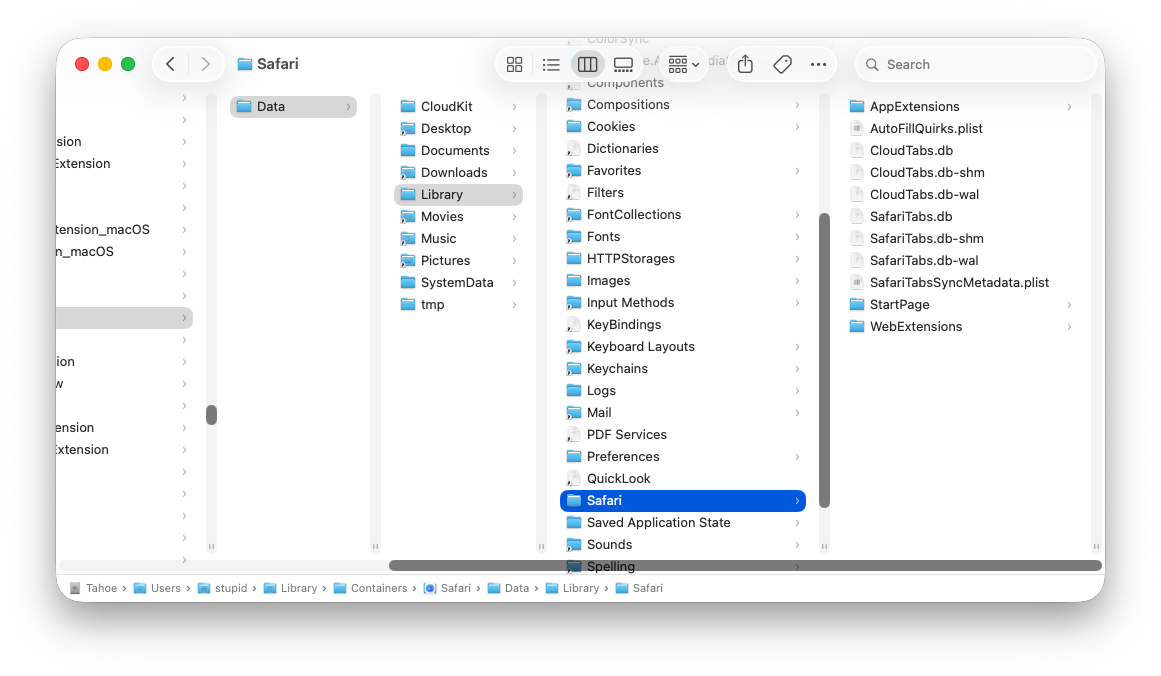
The scrollbar unfortunately still covers up files in the columns. However, the vertical scrollers have been shortened, so the resizing widgets are now accessible above the horizontal scrollbar.
Problem solved, right? Well, not exactly. Try hiding the path bar at the bottom of the window (as well as the status bar, which was not shown in the above screenshot):
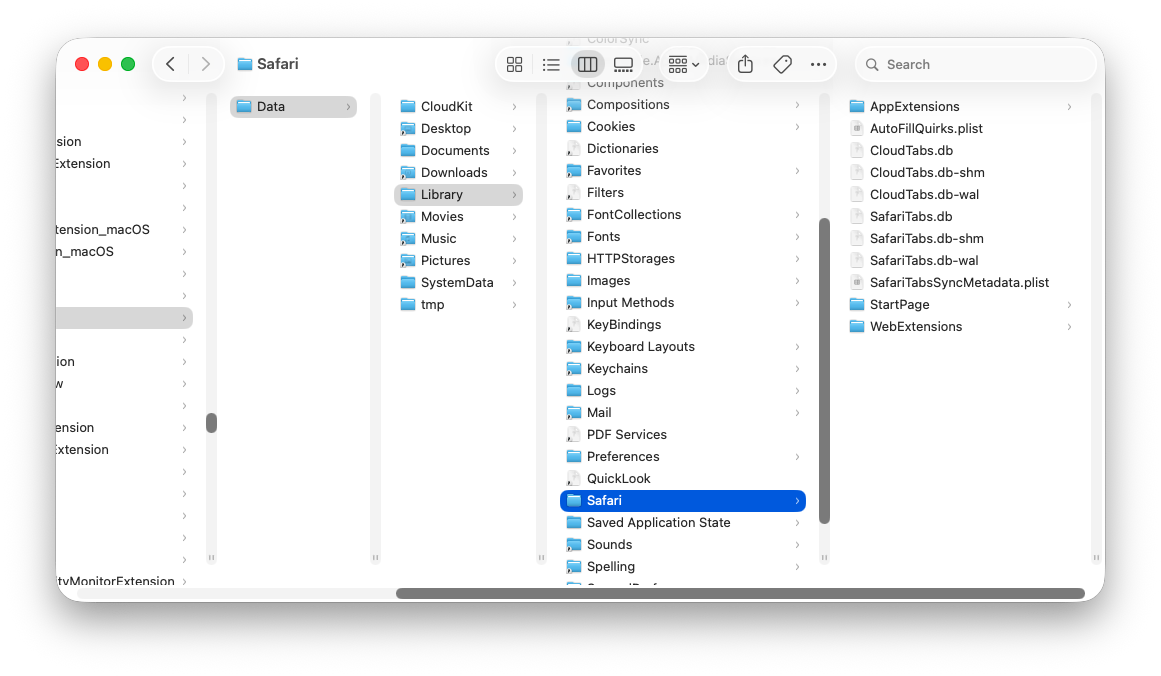
Without the path bar, the columns are now taller, but the vertical scrollers remain the same height as before, leaving vertical gaps, a ridiculous amount of space between the bottom of the scrollers and the bottom of the columns, looking silly and amateurish.
Did nobody inside Apple test this configuration either? Or do they simply not care?