
Anyone is capable of having their caps lock key on at any given time without realizing so. Users can easily spot unwanted caps lock when typing in most inputs, but when using a password input, the problem isn’t so obvious. That leads to the user’s password being incorrect, which is an annoyance. Ideally developers could let the user know their caps lock key is activated.
To detect if a user has their keyboard’s caps lock turn on, we’ll employ KeyboardEvent‘s getModifierState method:
document.querySelector('input[type=password]').addEventListener('keyup', function (keyboardEvent) {
    const capsLockOn = keyboardEvent.getModifierState('CapsLock');
    if (capsLockOn) {
        // Warn the user that their caps lock is on?
    }
});
I’d never seen getModifierState used before, so I explored the W3C documentation to discover other useful values:
dictionary EventModifierInit : UIEventInit {
  boolean ctrlKey = false;
  boolean shiftKey = false;
  boolean altKey = false;
  boolean metaKey = false;

  boolean modifierAltGraph = false;
  boolean modifierCapsLock = false;
  boolean modifierFn = false;
  boolean modifierFnLock = false;
  boolean modifierHyper = false;
  boolean modifierNumLock = false;
  boolean modifierScrollLock = false;
  boolean modifierSuper = false;
  boolean modifierSymbol = false;
  boolean modifierSymbolLock = false;
};
getModifierState provides a wealth of insight as to the user’s keyboard during key-centric events. I wish I had known about getModifier earlier in my career!



An Interview with Eric Meyer
Your early CSS books were instrumental in pushing my love for front end technologies. What was it about CSS that you fell in love with and drove you to write about it? At first blush, it was the simplicity of it as compared to the table-and-spacer…
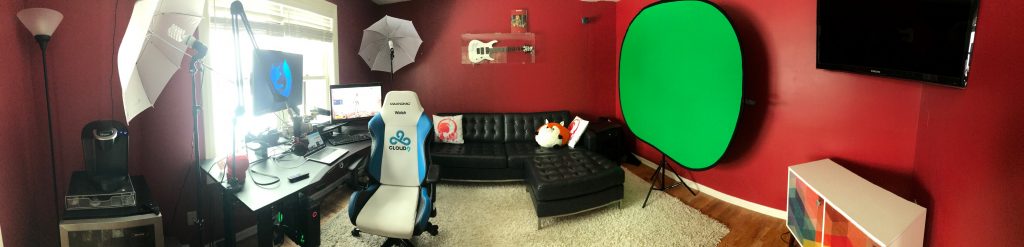
Welcome to My New Office
My first professional web development was at a small print shop where I sat in a windowless cubical all day. I suffered that boxed in environment for almost five years before I was able to find a remote job where I worked from home. The first…

MooTools 1.2 Image Protector: dwProtector
Image protection is a hot topic on the net these days, and why shouldn’t it be? If you spent two hours designing an awesome graphic, would you want it ripped of in matter of seconds? Hell no! That’s why I’ve created an image…
Source link